Hi,
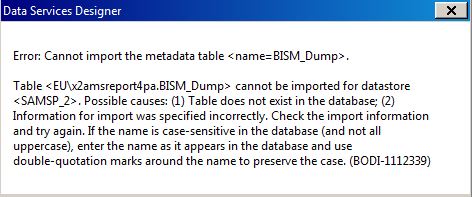
I am using Data Svcs 4.2 SP8. Designer is installed on a Citrix server. I need to create an ODBC connection to a SQL Server 2016 database that uses Windows AD Authentication. When I set up the ODBC datasource during the creation of the datastore, the test connection is successful. When I try to import metadata into the datastore, I get "Error: Cannot import the metadata table <name=xxxx>. BODI-1112339.[/img] Full message in attached image. I think the test connection is passing my user id that I logged into Citrix with, and the import metadata is using the user id I put in the ODBC connection. But I’m not sure. Does anyone have step-by-step instructions on setting up such a connection using Windows AD authentication? Do I also need to create the ODBC connection on the Data Services server?
mcadden (BOB member since 2012-05-31)
 (BOB member since 2008-08-01)