How to restrict user for using WebIntelligence Features

Hi members

Can any member tell me that, How to restrict user for using WebIntelligence features such as "sorting, break, calculation and etc.

I have tried in CMC but not successful :hb:

Can any guru person guide me what steps i should follow.

Regards
Izhar


izhar :pakistan: (BOB member since 2007-07-11)

IN the CMC go:

Manage > BusinessObjects Enterprise Applications > Web Intelligence >

Then advanced


glenorchy :uk: (BOB member since 2005-11-10)

Hi
dear, i did through the same way as you said. But even though i am unable to restrict the webi features to the respective user.

I wan to take the rights of “Sorting, Break, Filter and etc”

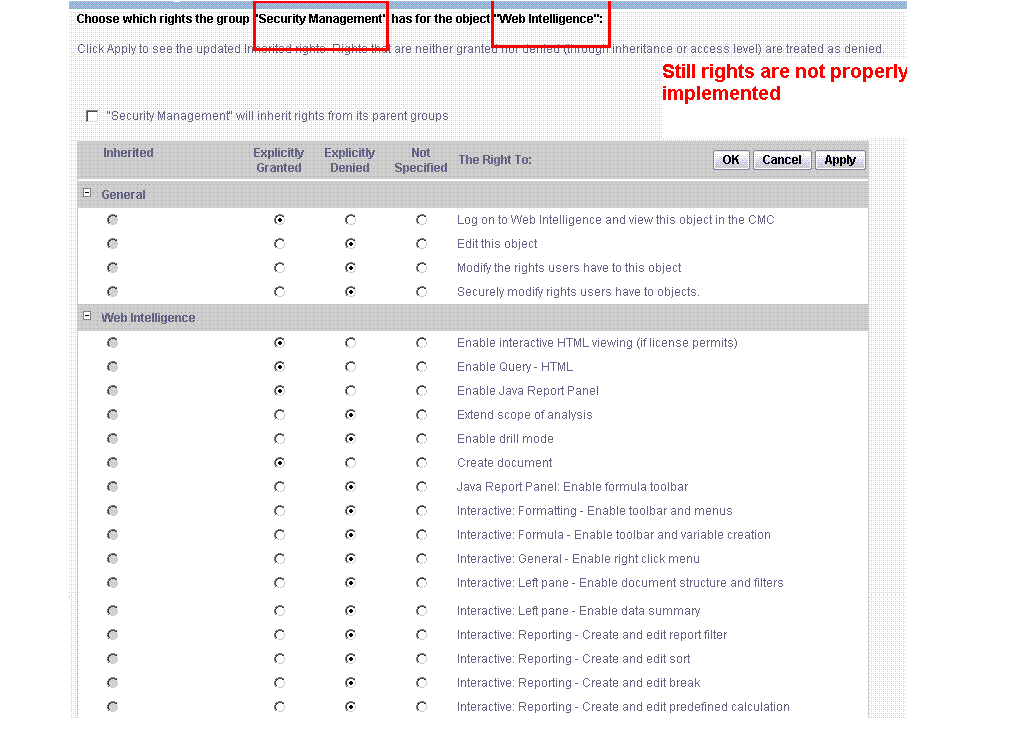
Rights are only working to stop “drilling” feature, other than this i am not able to do so. I am attaching an image so that you can see what i have done.

Regards,
Izhar
Restrict User for using WebIntelligence Features.GIF


izhar :pakistan: (BOB member since 2007-07-11)

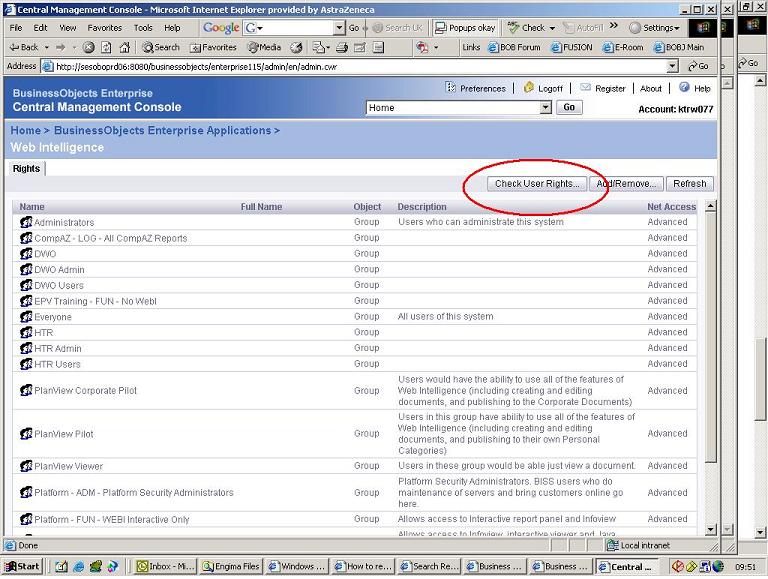
In the screen befor you get to the one posted, press ‘check users rights’

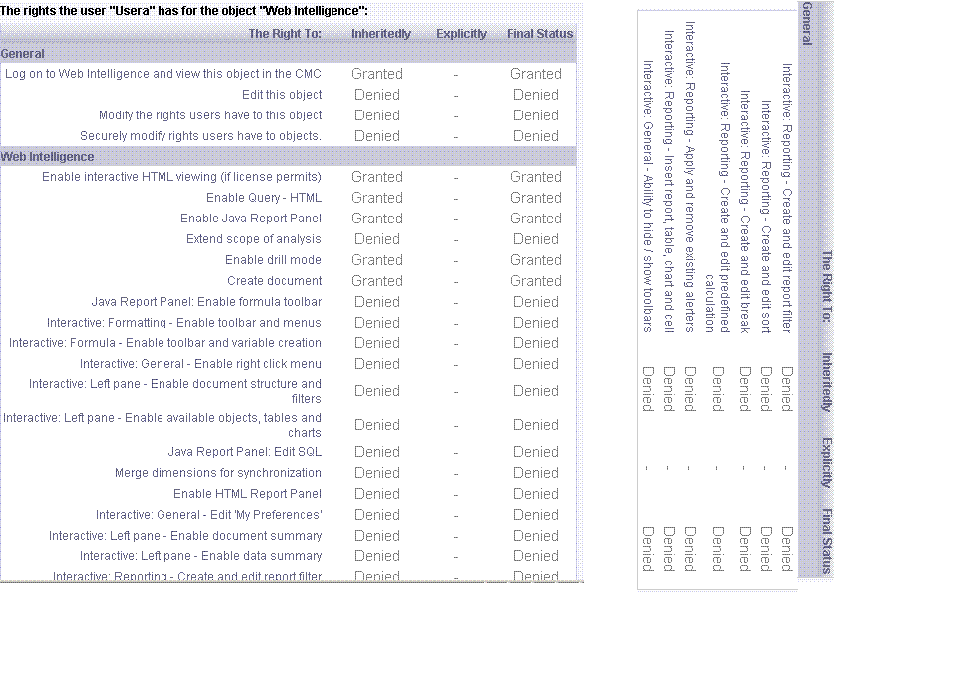
find your user and make sure all right combinations show the user is denied

if this is the case i would contact tech support


glenorchy :uk: (BOB member since 2005-11-10)

Hi dear,

I am unable to follow your exact words, can you please tell in little detail.

By taking of rights for “user”, when i try to login in Infoview then user is not able to login in the application and following message is shown.

“An error has occurred: The object with ID 84296 does not exist in the CMS or you don’t have the right to access it”

Can please guide

Regards,
Izhar


izhar :pakistan: (BOB member since 2007-07-11)

please see attached screenshot
screen.jpg


glenorchy :uk: (BOB member since 2005-11-10)

Thanks glenorchy,

I have the attached an image for the rights which i gave to the user.

I have granted for following

Log on to Web Intelligence and view this object in the CMC “Granted”
Enable interactive HTML viewing (if license permits) “Granted”
Enable Query - HTML “Granted”
Enable Java Report Panel “Granted”
Enable drill mode “Granted”
Create document “Granted”

rest of them are denied. You can also view the attached file,

Thanks very much for continous help and guidance.

Regards,
Izhar
Rights given for WebIntelligence User in CMC.GIF


izhar :pakistan: (BOB member since 2007-07-11)

i would contact support, looks like maybe a product issue.

or maybe make sure your on the latest service packs, fix packs


glenorchy :uk: (BOB member since 2005-11-10)

Thanks.

I am working on BOXI R2, SP2.

Can you tell about any fix which can work for me.

However, ill try to contact the support.

Thanks again dear.

Regards
Izhar


izhar :pakistan: (BOB member since 2007-07-11)