Morning :
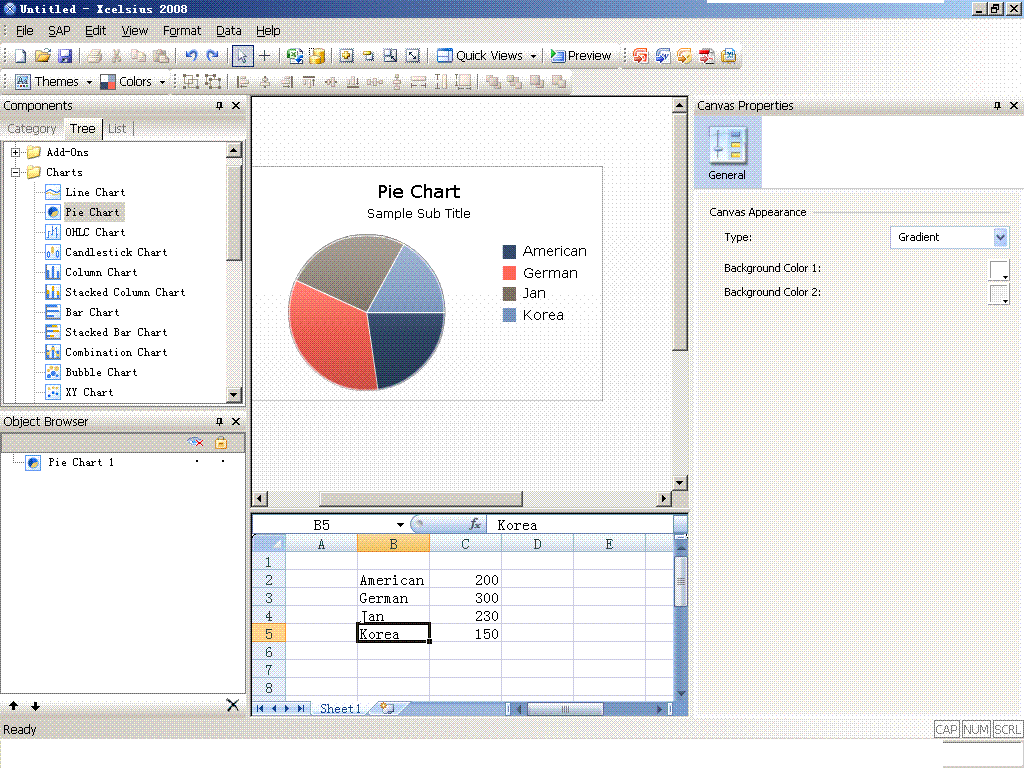
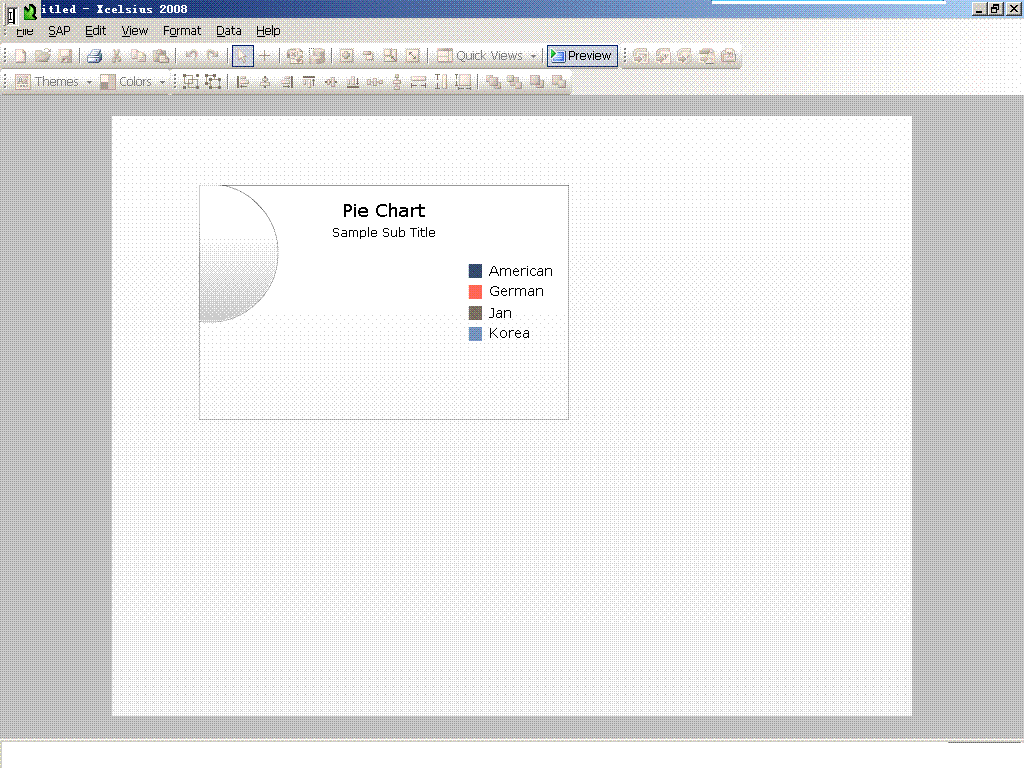
everyone , during i use crystal xcelsius 2008 to make pie chart ,every time when i preview this document ,the pie chart cann`t show correctly ,just like this picture[img][/img]
shinianxiao (BOB member since 2010-04-30)
Morning :
everyone , during i use crystal xcelsius 2008 to make pie chart ,every time when i preview this document ,the pie chart cann`t show correctly ,just like this picture[img][/img]
shinianxiao (BOB member since 2010-04-30)
Welcome to B:bob:B!
I’ll move this to the Xcelsius forum for you.
Nick Daniels  (BOB member since 2002-08-15)
Can you get the screen shot of all the properties of the Pie chart?
boe_bods  (BOB member since 2008-03-14)
Depending on the properties of the pc, the layout sometimes changes, for example if you use different resolutions.
Solution: make the component bigger, until it looks good in preview / presentation mode… I know it’s not perfect, but that’s the way I’m doing it…
wimvg  (BOB member since 2010-02-12)
Thanks for reply .actually ,this question when somebody preview in other computer ,it can display well ,only my laptop cant ,so i think maybe my computer set up some wrong module ,or doesnt set up some java etc.
shinianxiao (BOB member since 2010-04-30)
scale up the component cann`t solve ,i try again ,bigger it ,but when i preview ,the pie chart only show a half circular shadow on the left corner,but other information is ok ,for example ,label and title etc.
shinianxiao (BOB member since 2010-04-30)
I’ve got the same problem. Did u solve it?
Thx
S020500254 (BOB member since 2013-04-06)
The first thing to try when experienceing problems with components is to Save the dashboard, Close and then re-open.
Sometimes Xcelcius throws up strange problems like this. Try exporting the dashboard as well rather than just preview exports normally run quicker.
build another pie chart next to the original, using the same data source to check if the same thing occurrs as it may be a corrupt component.
Dasher22 (BOB member since 2013-02-27)
Thanks for your help. But still no luck. It is a very basic one. But just goes wrong.
S020500254 (BOB member since 2013-04-06)