I have been trying to use Custom SQL for a prticular WEBI report but when i try to validate the SQL it says “Statement could not be generated.”
Its a fairly simple query with joins linking tables from three different marts and it runs perfectly fine when i exceute it in SQL mgmt studio. here’s the query, is there anything wrong in terms of syntax for WEBI because it works fine in SQL.
Select inv.itemnumbershort, item.description01, item.description02, inv.location, inv.glclass, inv.documenttype1, inv.document, inv.gldate, (ltrim(rtrim(gl.bucodenopad)) + ‘.’ + gl.AccountNoPad) AS Account, inv.explanation, inv.batchnumber, inv.branchorplant, inv.unitcost
From rd_glmart812.dbo.gl_star_factsdetails gl right outer join dbo.Inventory_Star_ItemLedger inv ON gl.sourceid = inv.sourceid and gl.batchnumber = inv.batchnumber and gl.documenttype = inv.documenttype1 and gl.gldate = inv.gldate and gl.remarkexplanation = inv.itemnumbershort JOIN RD_Common812.dbo.Star_Item Item ON inv.sourceid = item.sourceid and inv.itemnumbershort = item.itemnumber Where gl.documenttype = ‘IM’
thanks steve it was acyually the ANSI 92 eror… i changed it in the universe parameters to yes and i dnt get that error any more but i have a new one now…
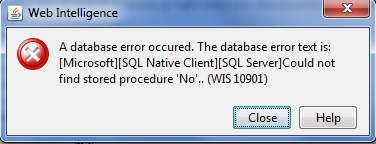
the deal is i dont have any stored procedures and its pointing out to an error of that sort.
in the query for one of the tables i wasnt mentioning the entire path name …i was excluding the databse name thinking that the universe connection would take the default database.
The “No” procedure was because in one of the parameters “Begin SQL” i entered No and hence that error.
Thanks again Steve for that ANSI92 point out and i am the universe owner.
 (BOB member since 2010-09-23)
 (BOB member since 2002-06-25)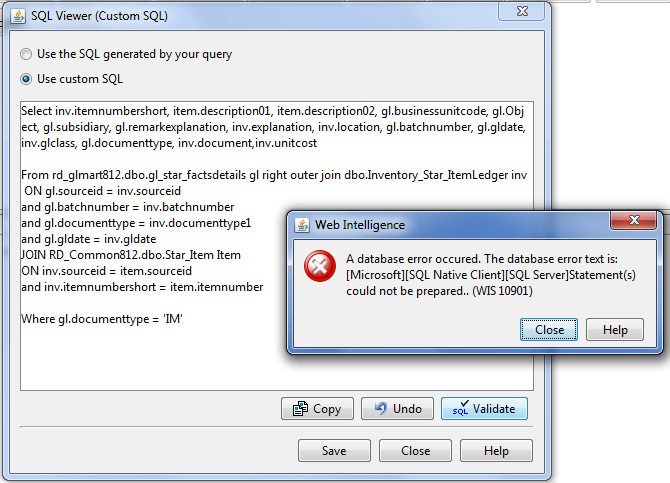
 (BOB member since 2010-09-23)