We have a database which I need to access in order to create a Universe. The database was recently brought onsite. I access, analyze and query to this database using SQL server 2008. However I don’t know how to access this database from the Universe Designer. I have gone through related forum topics and other material but they are generic in terms of all kinds of database. Please let me know if anyone has experience in making such a connection.
You need to create an ODBC connection to the database from your workstation. If you have a 64-bit OS on your workstation, make sure you use the 32 bit ODBC program. Then in Designer, create a new universe and choose the new ODBC connection under Universe Parameters/Connection. You can then insert the tables from the SQL Server database.
So basically I have just one connection there right now and it is an Oracle DB connection. Now I am trying to add a new connection through the wizard to make sure i have access to the SQL server database. I have always been told the existing connections and used to connect to corresponding one. This is totally new to me. I have attached a screen shot of the step where I am stuck as to which one to chose. Please let me know.
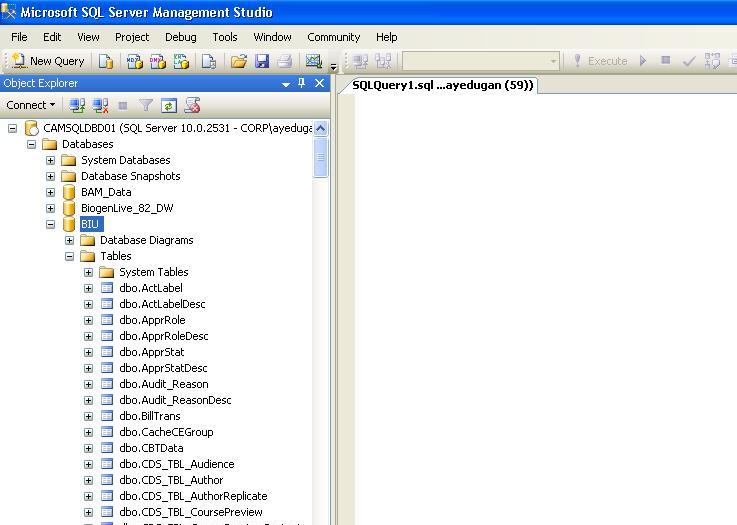
How do I create an ODBC Connection?. I have attached 2 more screen shots. The first one is the Microsoft SQL Server 2008 login intot he database I was referring to. The highlighted ‘BIU’ is what I am trying to access. The second one is the step I am at right now. I wanted to ask what is the data source name. Is that something which is already there or should I be naming my own?
OLEDB connections tend to be better to administer - you don’t need one on each machine you’re connecting to the database with, e.g. all universe designers’ machines, the webi server(s), any deski desktops and so on.
Go into File–> Parameters
From the first tab, choose new near the bottom of the box.
Click Next
Give your connection a name
Expand the tree folder structure to:
Microsoft - MS SQL Server 2008 - OLE DB Providers
Now click next
Fill in the username, password, server and database information.
Click Next twice then Finish.
Now make sure it’s selected in the drop down list of connections and click on test.
You should now get a message that says “The server is responding.”
Thank you so much for the step by step guidelines . Actually before I could try your way, CHARLIE’s method of creating a ODBC Connection and then just selecting the data source as a new connection from the Designer worked perfectly. Now I have a connection and I am able to access the database without any issues so far.
I remotely log on to the desktop where bobj 4.0 is installed. From this , I need to make a connection to SQL Server 2008 R2 database which is located at the different server. How can this type of connection can be made
When i try making connection in the universe designer, I cannot make a connection and get the following error.
DBD: [Microsoft][ODBC Driver Manager] The specified DSN contains an architecture mismatch between the Driver and Application
 (BOB member since 2006-12-18)
 (BOB member since 2002-08-20)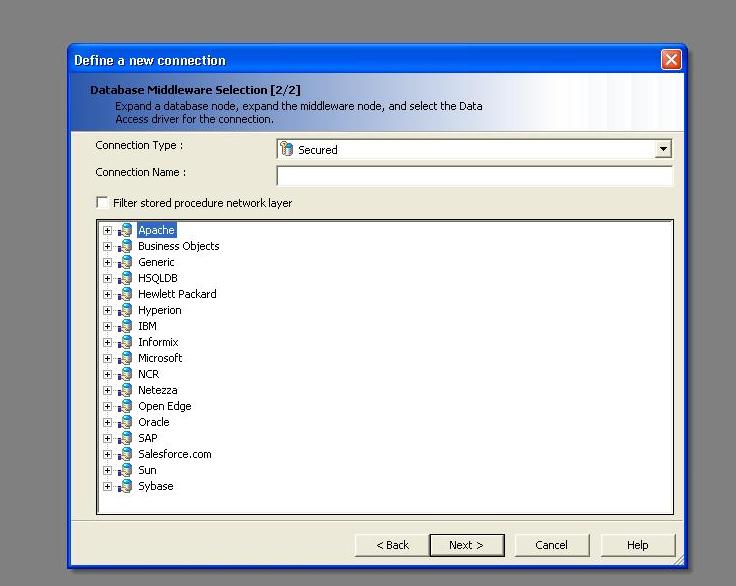
 (BOB member since 2004-03-17)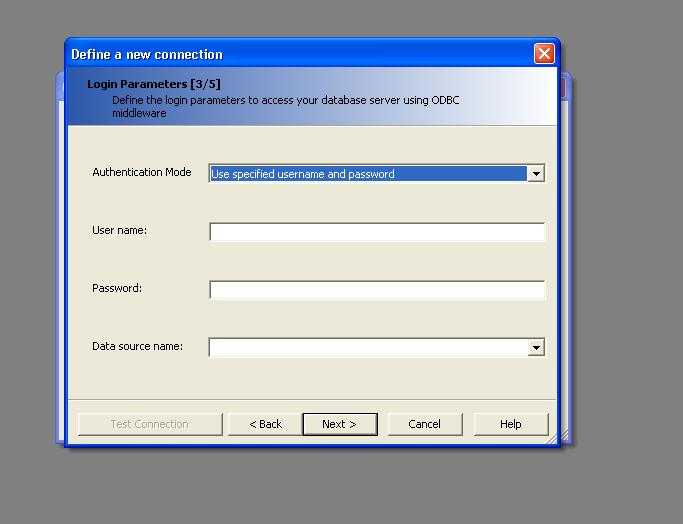

 . Actually before I could try your way, CHARLIE’s method of creating a ODBC Connection and then just selecting the data source as a new connection from the Designer worked perfectly. Now I have a connection and I am able to access the database without any issues so far.
 (BOB member since 2004-06-06)