I just discovered this tool today.
I am not looking to interact with the code directly. I just want to use the tool.
We are on BI 2025 Patch 4. I am trying this on a virtual desktop on which I have other client tools installed. I can run it just fine.

I just cannot log in. So I am done.
From the documentation at the link above…
The following is a description of the fields on the “Webi - Purge Data Providers Screen”:
CMS Server URL - This consists of the CMS Host name and the port that needs to be hit in order to use the RESTful Web Services. To find out what this value should be, please log into the Central Management Console and go to “Applications” and go to the “Restful Web Service” application. The value for this will be the portion of the “Access URL” up to the end of the port. For example, a value could be http://BIPW08R2:6405
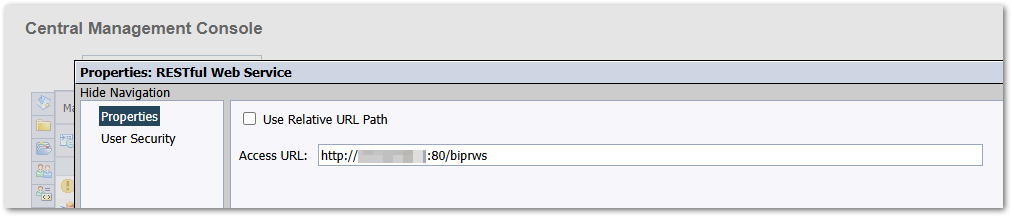
For my test system, my RESTful Web Service URL is http://[my-server]:80/biprws as seen here…
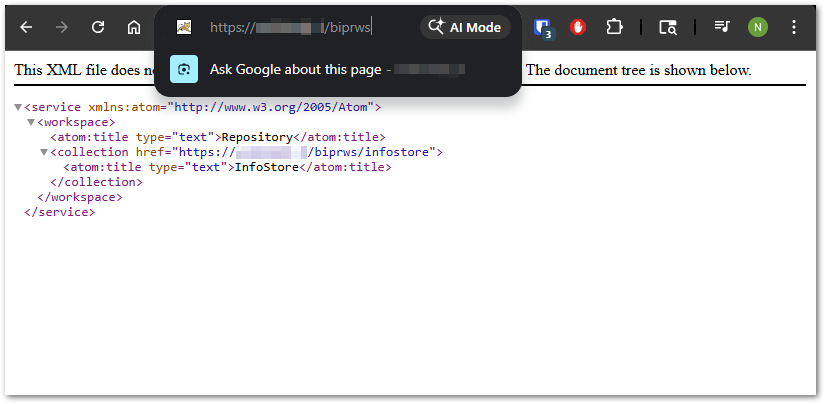
When I put that in a browser I believe the result I get suggests my RESTful Web Service URL is functional.
Given the statement from the documentation I quoted above…
The value for this will be the portion of the “Access URL” up to the end of the port.
I am putting http://[my-server]:80 for the CMS Server URL. I get this error…
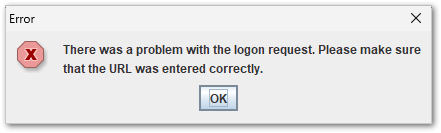
I have also tried the following which all yield the same error…
- http://[my-server]:80/biprws
- https://[my-server]/biprws
- https://[my-server]
It is mentioned in the content at the link above to comment on the wiki to if there are questions. I do not see a way to do that.
Has anyone used this tool successfully? Is there something you can see I am doing wrong just with RESTful Web Service URL?
Thanks,
Noel